我只发自己常用的 等波老哥补充,我再完善下
1 ip滥用报告 https://www.abuseipdb.com/check/
2 ip下过bt没 https://iknowwhatyoudownload.com/
3 ip以前有哪些网站 https://site.ip138.com/ https://tools.ipip.net/ipdomain.php https://ipchaxun.com/
4 查询网站长啥样 https://web.archive.org/ https://archive.md/
5 查询网站以前解析的ip https://viewdns.info/iphistory/?domain https://ipchaxun.com/ https://search.censys.io/


安装agent时一键命令后加入
--disable-command-execute
参考https://www.nodeseek.com/post-31986-1
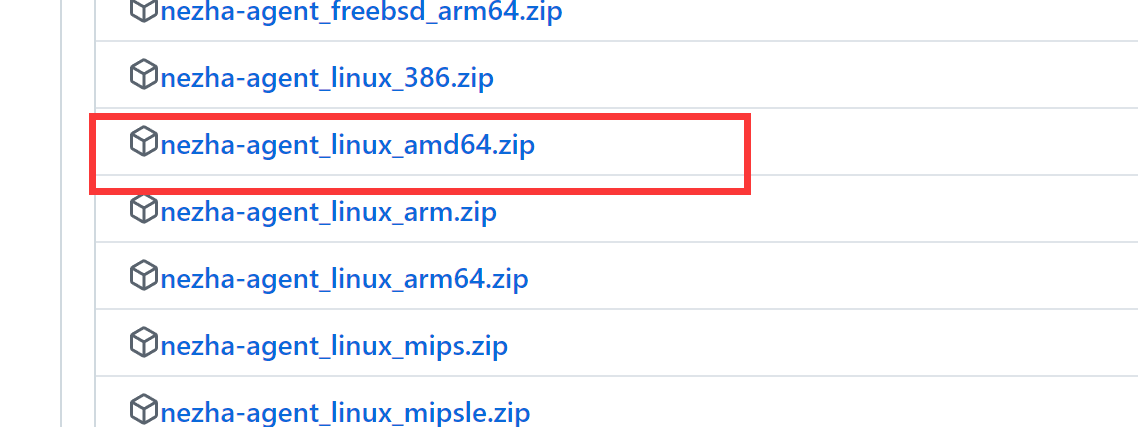
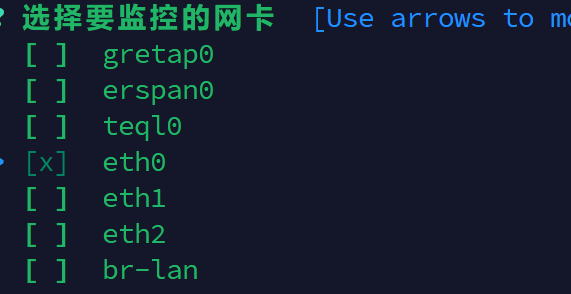
openwrt nezha ipk 下载地址 https://github.com/Erope/openwrt_nezha/releases/ ssh输入如下,我默认是eth0,空格选择,回车确认
/usr/bin/nezha-agent edit
dig是linux下很常见的dns工具 win上只能手动安装了 Note that BIND 9.18 and beyond will no longer support the native Windows(tm) operating system.
官网公告,9.18及以后的不再提供了,所以只能安装最后的版本9.17.9了 链接 如下,ftp粘贴到idm中可添加直接下载
ftp://ftp.isc.org/isc/bind9/9.17.9/BIND9.17.9.x64.zip
解压缩,把文件夹到添加到win环境变量当中 就可以在win中运行dig了
确认内核是否支持bbr
sysctl net.ipv4.tcp_available_congestion_control
1 开启bbr
echo "net.core.default_qdisc=fq" | sudo tee -a /etc/sysctl.conf
echo "net.ipv4.tcp_congestion_control=bbr" | sudo tee -a /etc/sysctl.conf
重新加载sysctl 设置
sudo sysctl -p
2 开启bbr+fq
echo "net.core.default_qdisc=fq" | sudo tee -a /etc/sysctl.conf
重新加载sysctl 设置
sudo sysctl -p










 Select Language