
这是一个创建于 2237 天前的主题,其中的信息可能已经有所发展或是发生改变。
GeneralNewsExtractor以下简称GNE是一个新闻网页通用抽取器,能够在不指定任何抽取规则的情况下,把新闻网站的正文提取出来。
我们来看一下它的基本使用方法。
安装 GNE
使用 pip 安装:
pip install --upgrade git+https://github.com/kingname/GeneralNewsExtractor.git
当然你也可以使用pipenv安装:
pipenv install git+https://github.com/kingname/GeneralNewsExtractor.git#egg=gne
获取新闻网页源代码
GNE 现在不会,将来也不会提供网页请求的功能,所以你需要自行想办法获取经过渲染以后的网页源代码。你可以使用Selenium或者Pyppeteer或者直接从浏览器上复制。
这里演示如何直接从浏览器中复制网页的源代码:
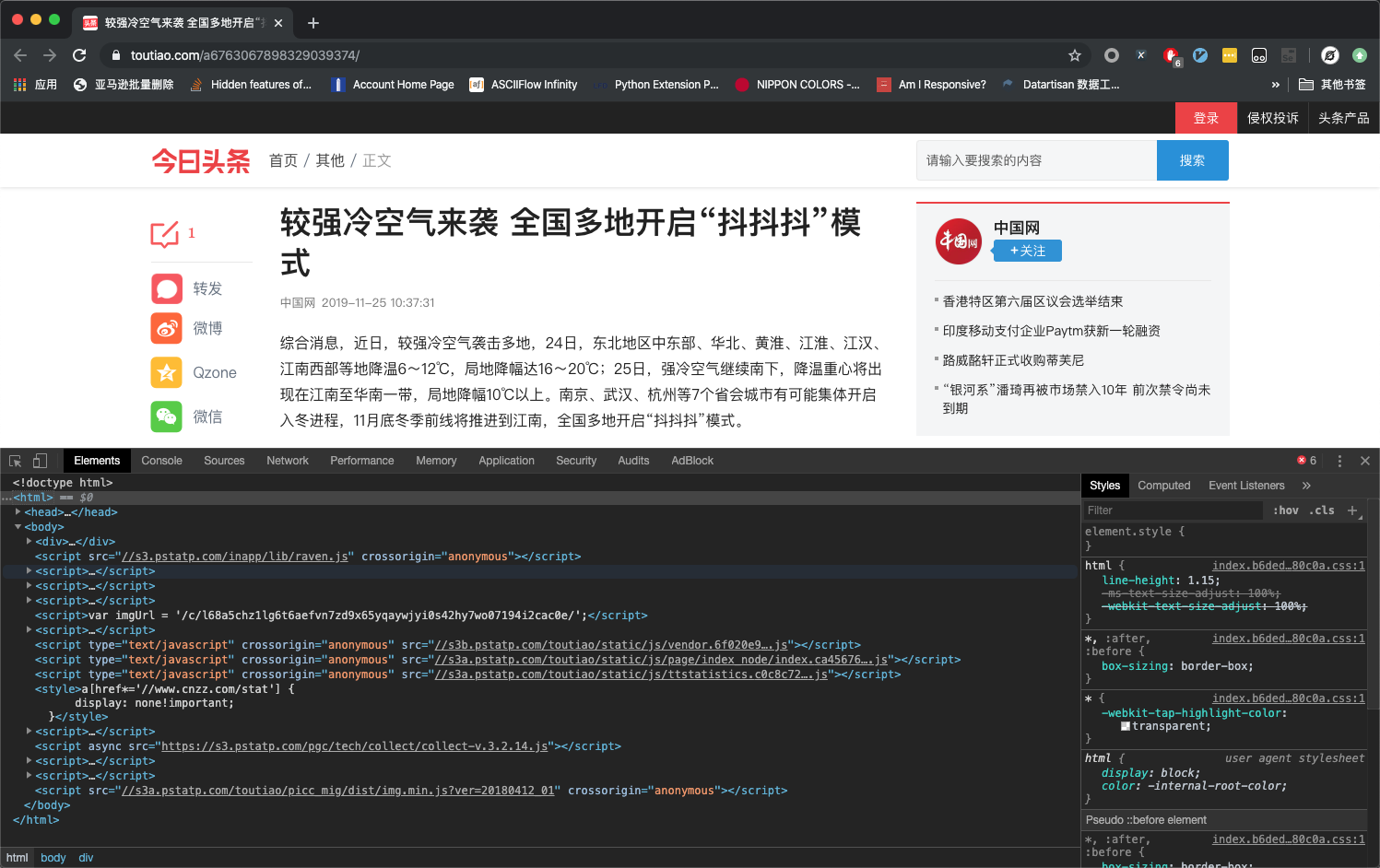
- 在 Chrome 浏览器中打开对应页面,然后开启开发者工具,如下图所示:
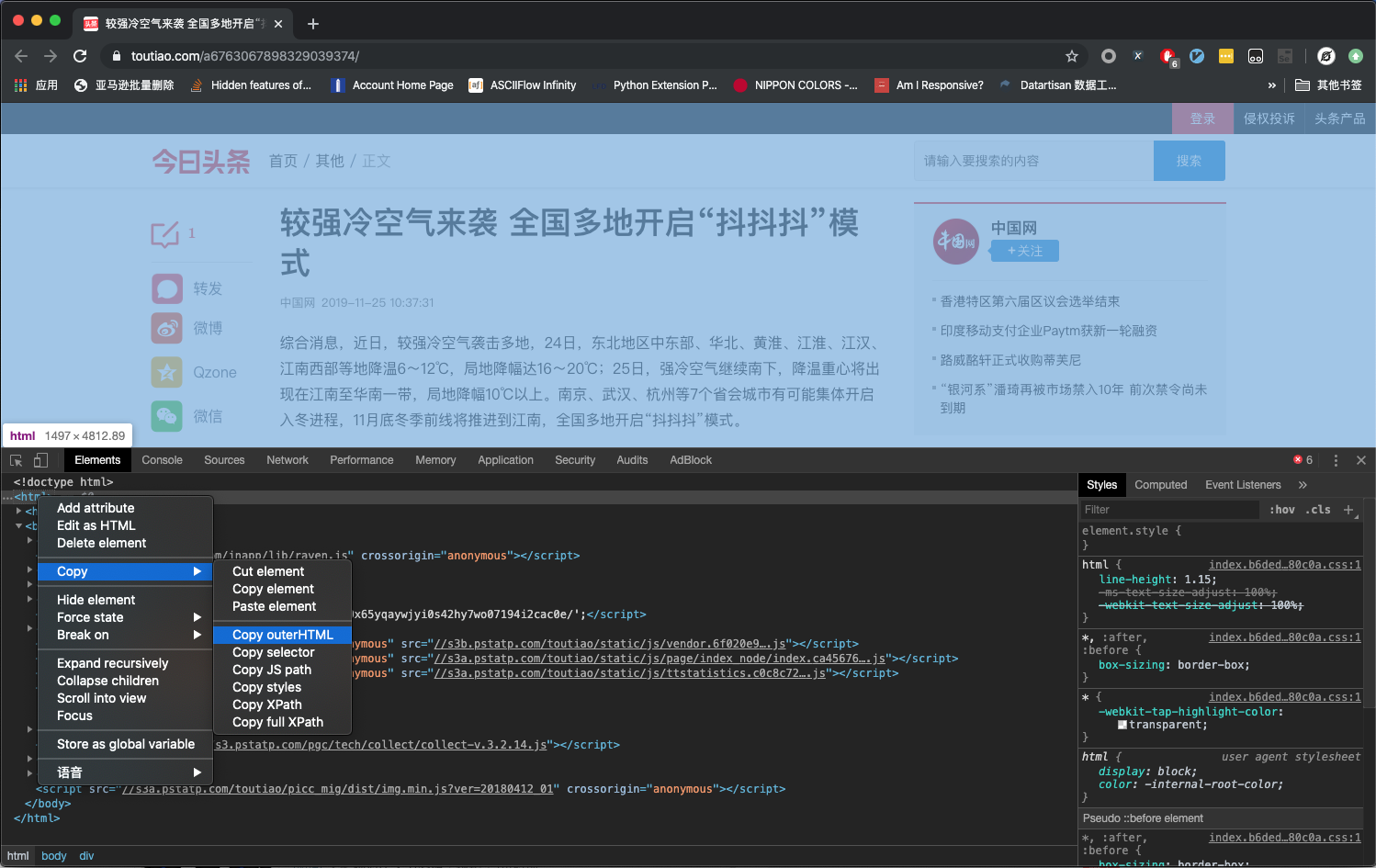
- 在 Elements 标签页定位到标签,并右键,选择 Copy-Copy OuterHTML,如下图所示
- 把源代码保存为 1.html
提取正文信息
编写如下代码:
from gne import GeneralNewsExtractor

with open('1.html') as f:
    html = f.read()

extractor = GeneralNewsExtractor()
result = extractor.extract(html)
print(result)
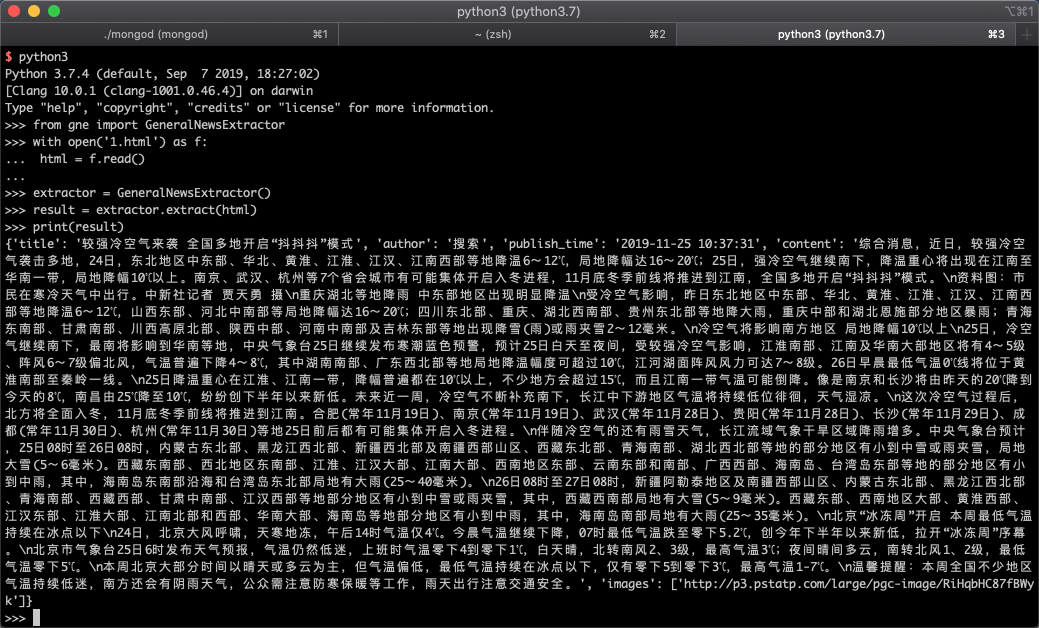
运行效果如下图所示:
这次更新了什么
在最新更新的 v0.04 版本中,开放了正文图片提取功能,与返回正文源代码功能。其中返回图片 URL 的功能在上面已经演示了,结果中的images字段就是正文中的图片。
那么怎么返回正文源代码呢?只需要增加一个参数with_body_html=True即可:
from gne import GeneralNewsExtractor

with open('1.html') as f:
    html = f.read()

extractor = GeneralNewsExtractor()
result = extractor.extract(html, with_body_html=True)
print(result)
运行效果如下图所示:
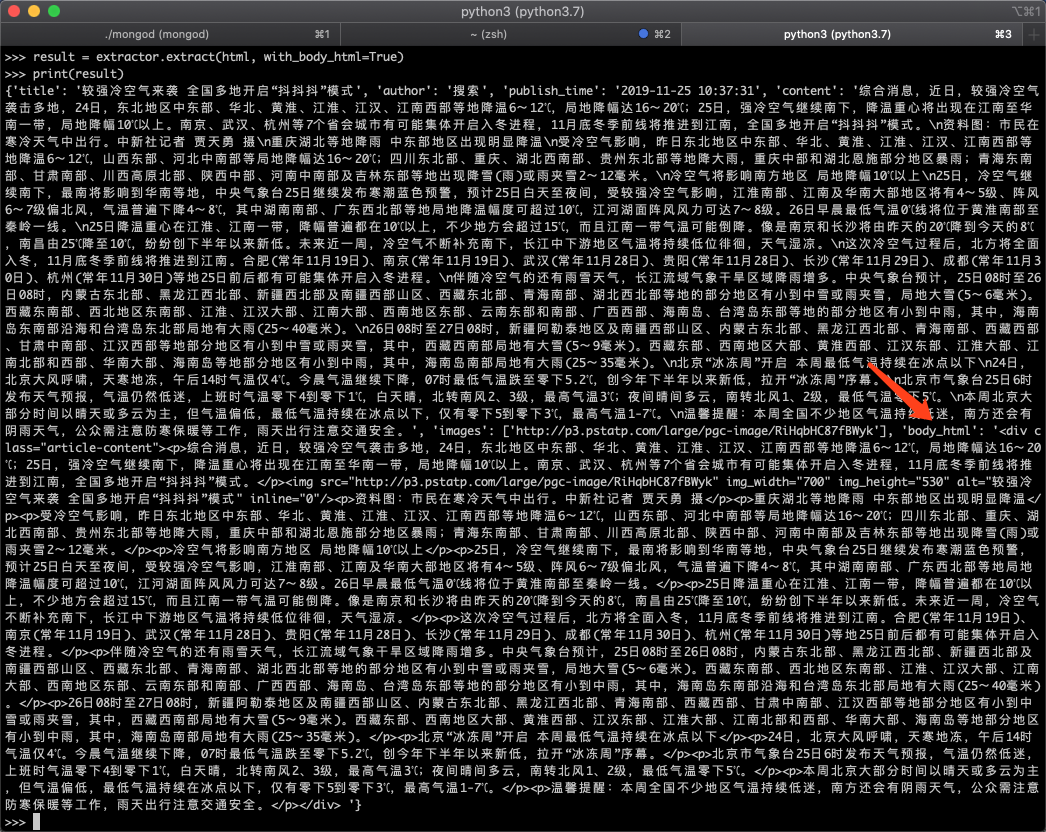
返回结果中的body_html就是正文的 html 源代码。
关于 GNE 的深入使用,可以访问 GNE 的 Github: https://github.com/kingname/GeneralNewsExtractor。

 Select Language